Decalize it!
I have been told that, to some, the quality of the current renders within X-Plane are too blurry, not really crisp, and it doesn't really look too good. Of course, I was aware of this "limitation" from the get-go, but truth be told: this project needs to start somewhere - and that somewhere is zoom level 16 at this point.
To be fair: real orthos wouldn't look that much better at low altitudes and zoom level 16 either - I tried it.
The engine itself and the underlying dataset has been designed to handle any zoom level in the future. I can state that I am entertaining ideas for the engine, that might make any zoom level possible - but more on that in another post.
For now, one way to at least "conceal" the blurriness of the textures, I am going to add additional files into every available tile. They will be zip files named "+XX+XXX_DecalsOn.zip" and "..._DecalsOff.zip".
You can download each one, place it in the corresponding tile folder, and use which one you like the best.
These files are being attached to every tile.
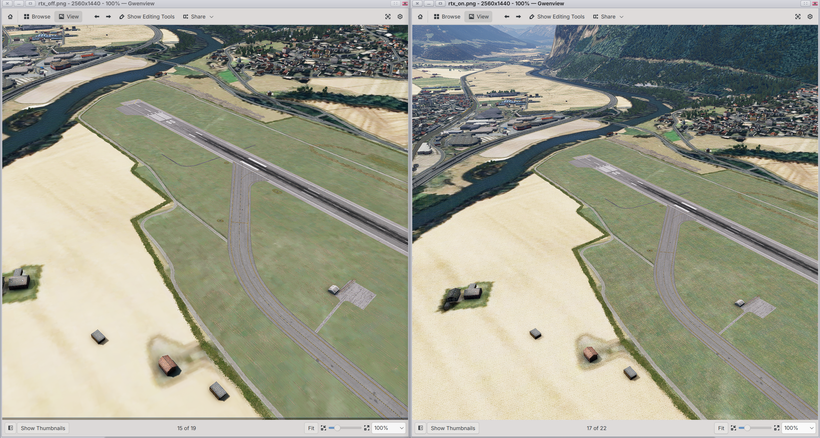
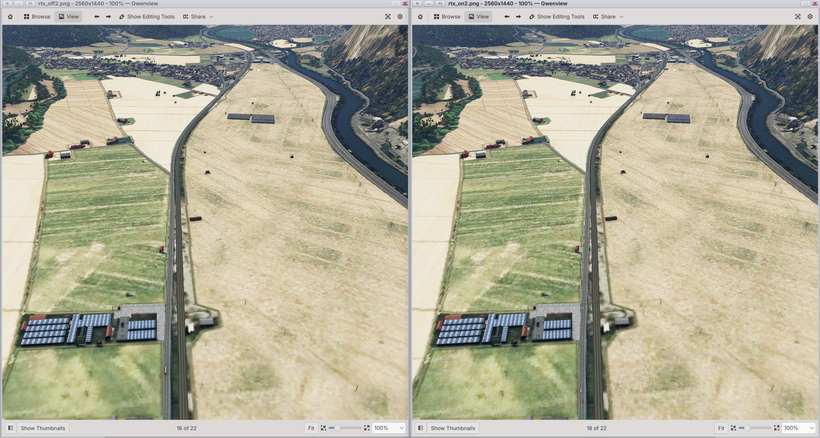
Have a look at LOWI (Innsbruck), so get a feeling for the differences. Note that I have RCAS sharpening to 100% in X-Plane.
Left is with decals off, and right with decals on.